Email campaigns from your own address
Marketing campaigns, made simple
Send marketing campaigns from your own address. Build newsletters and grow your subscriber list, all in one place.
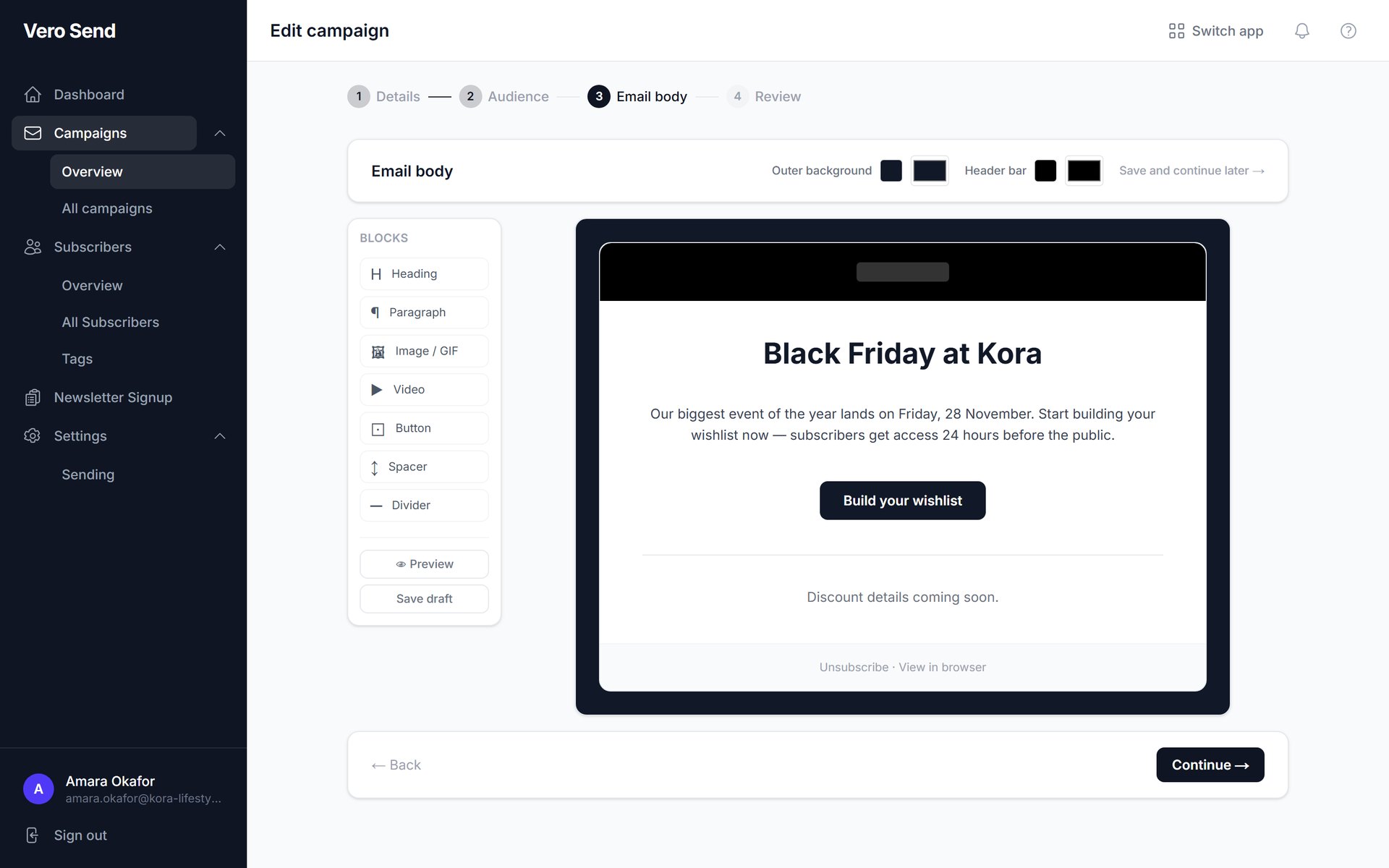
Vero Send lets you build email campaigns with a drag-and-drop editor and send them from your own email address, not a generic one.
Vero sets up and verifies your domain authentication for you, so every campaign goes out signed from your own domain.
- Drag-and-drop email builder
- Subscriber lists, tags and CSV import
- DKIM-signed sending from your own domain
- One-click unsubscribe built in
Send from your own address
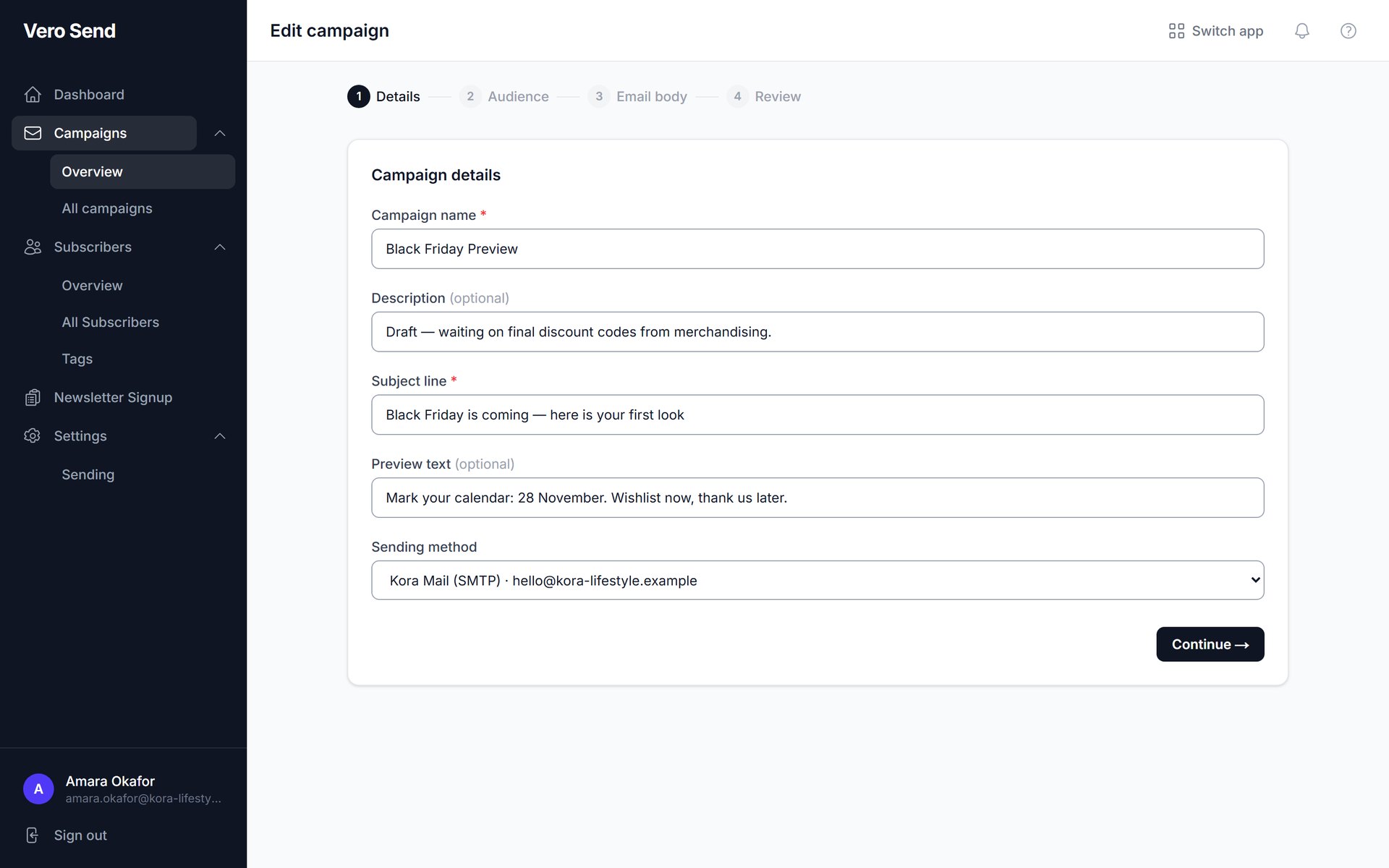
Connect your own email account and pick it as the sending method for each campaign. Settings fill in automatically for Gmail, Outlook, Yahoo, iCloud, Google Workspace, Microsoft 365 and Zoho.
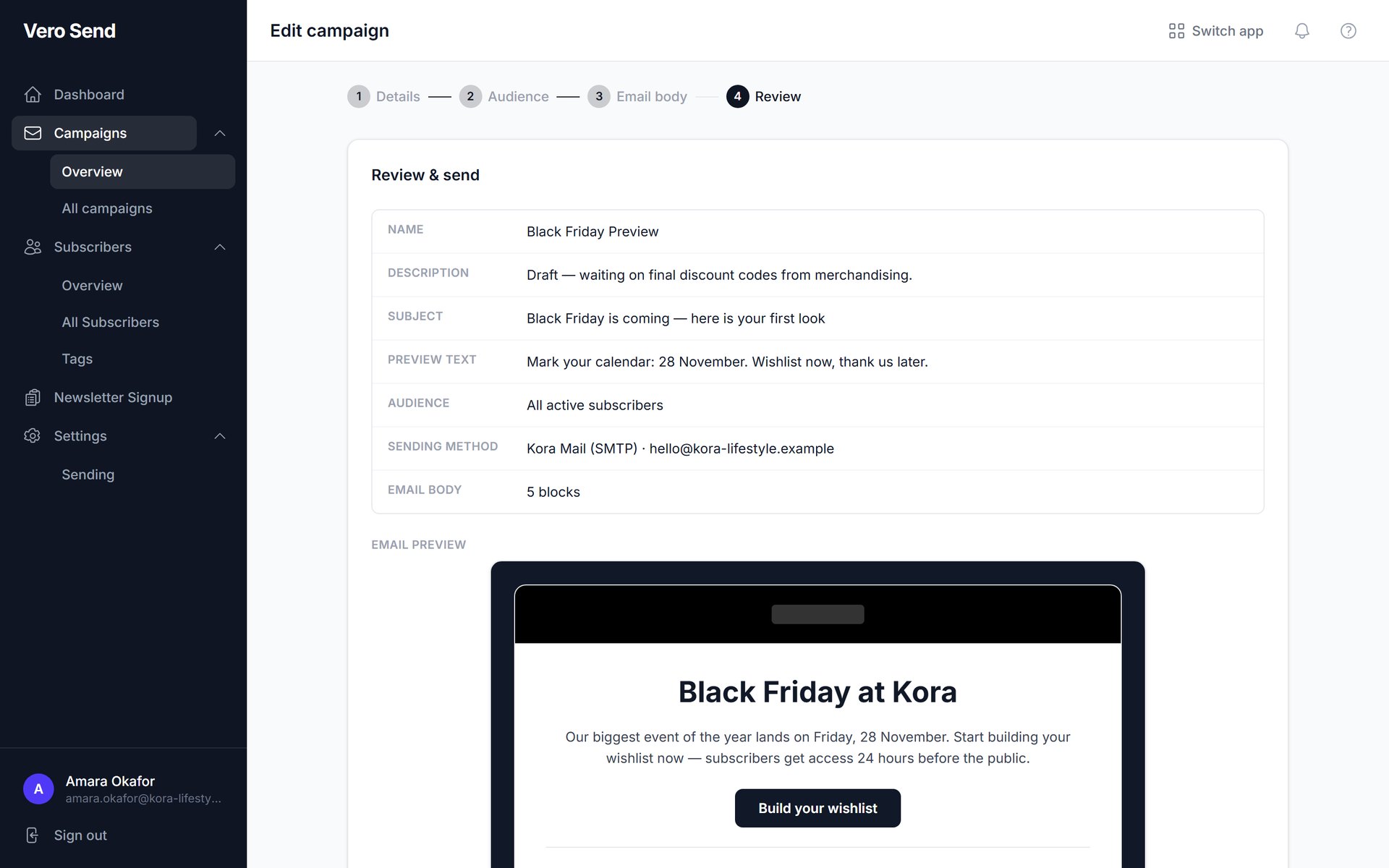
Check everything before you send
Review the subject, audience, sending method and a full preview of the email before it goes out. Campaigns then send in the background.
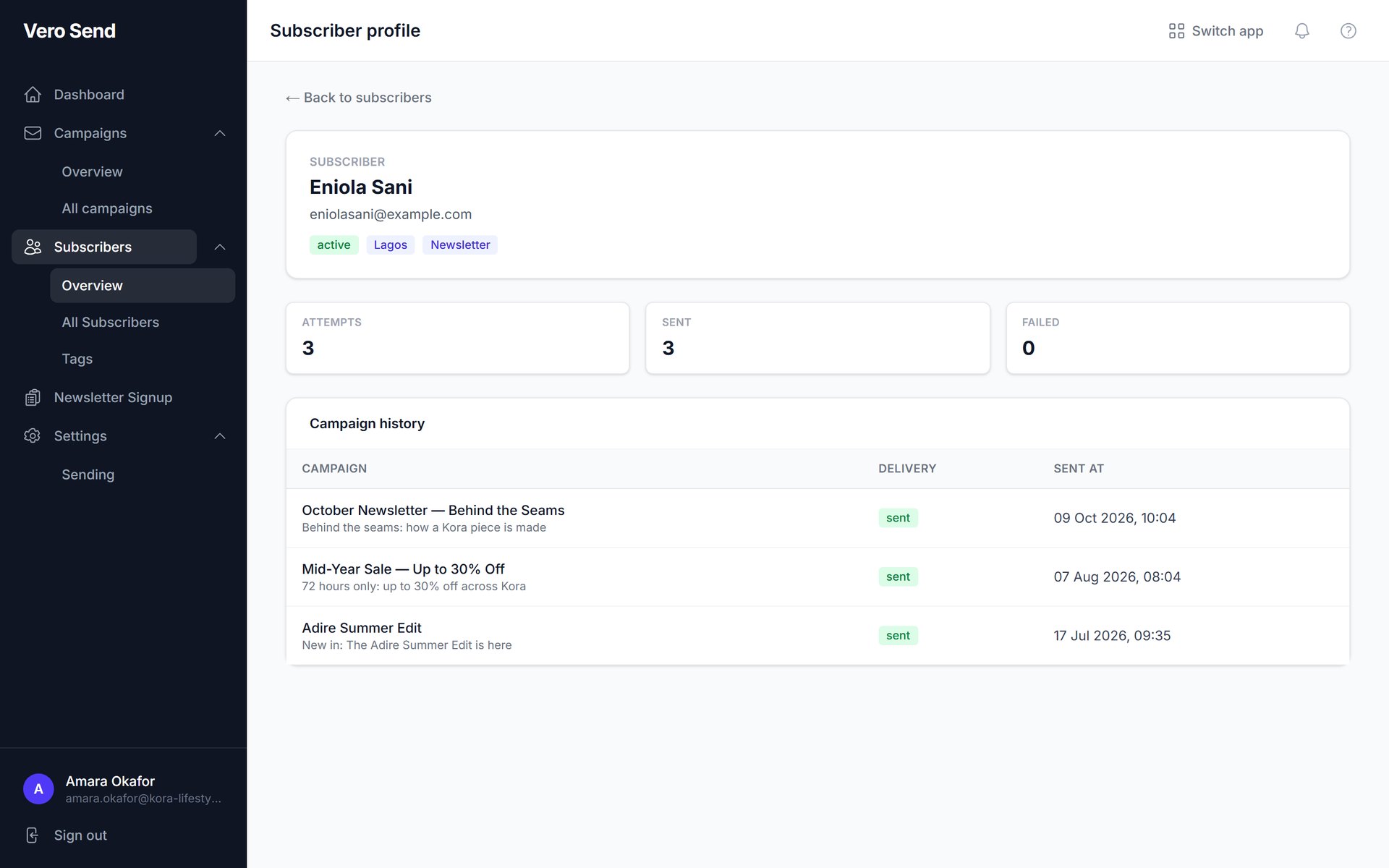
Know every subscriber
Add subscribers by hand or import a CSV, organise them with tags, and see which campaigns each person has been sent.
What you get with Vero Send
Drag-and-drop email builder
Build emails from heading, paragraph, image or GIF, video, button, spacer and divider blocks. Reorder them, set alignment and colours, and preview before sending.
Subscriber management
Add subscribers by hand or by CSV import, organise them with tags, and view each subscriber's history.
Newsletter sign-up page
A ready-made sign-up page to grow your list.
Send from your own email
Connect your own email account. Settings fill in automatically for Gmail, Outlook, Yahoo, iCloud, Google Workspace, Microsoft 365 and Zoho.
Domain authentication
Vero creates your DKIM record, verifies it and signs every campaign. Sending stays blocked until your domain is verified, which protects your sender reputation. The record is shared with Vero Support.
Higher limits for verified domains
A verified custom domain gets your plan's full monthly limit. An unverified custom domain gets 30%, and public addresses like Gmail get 10%.
One-click unsubscribe
Every campaign includes unsubscribe links, the one-click unsubscribe headers Gmail and Yahoo expect, and a "view in browser" link.
Queued sending
Campaigns send in the background, and you can resend to anyone it failed for.